Photography Aspect Ratios Made Simple (With Examples)
Crop ratios are a powerful tool in photography, allowing you to refine composition, emphasize your subject, and adapt your images for different formats. But if you’ve ever gone to crop a photo and seen a long list of aspect ratios—4:3, 16:9, 1:1—you might have wondered, “Which crop ratio should I use?”
In this guide, I’ll break down what crop ratios are, why they matter, and five of the most common aspect ratios photographers use. I’ll also explain when and why to use each one, so your photos always look their best.
What Is an Aspect Ratio?
An aspect ratio is the proportional relationship between the width and height of an image. It’s written as two numbers separated by a colon, like 3:2 or 16:9. The first number represents the width, and the second number represents the height.
For example, a 3:2 aspect ratio means the image is 3 units wide for every 2 units tall. This ratio remains the same whether your image is small or large.
Why Does Cropping Matter?
Cropping affects how an image is perceived. A tight crop can remove distractions and bring focus to the subject, while a wide crop can provide more context. However, cropping also reduces resolution, so it’s important to frame your shot carefully when taking the photo.
Choosing the right aspect ratio is important when preparing images for printing, social media, or different display formats. Some platforms and print sizes have specific ratio requirements, so knowing how to crop effectively ensures your images look professional and well-composed.
Common Aspect Ratios and When to Use Them
1. 3:2 – The Classic DSLR Ratio
Best for: General photography, prints, and maintaining full sensor resolution
The 3:2 ratio is the standard for most DSLR and mirrorless cameras (including my Canon EOS R5). It’s widely used for prints and digital images because it closely matches traditional 35mm film proportions.
- Works well for landscape and portrait shots
- Standard for 4×6 prints (no cropping needed)
- Great for maintaining full sensor resolution
If you want to keep your original composition without losing pixels, 3:2 is a great choice.
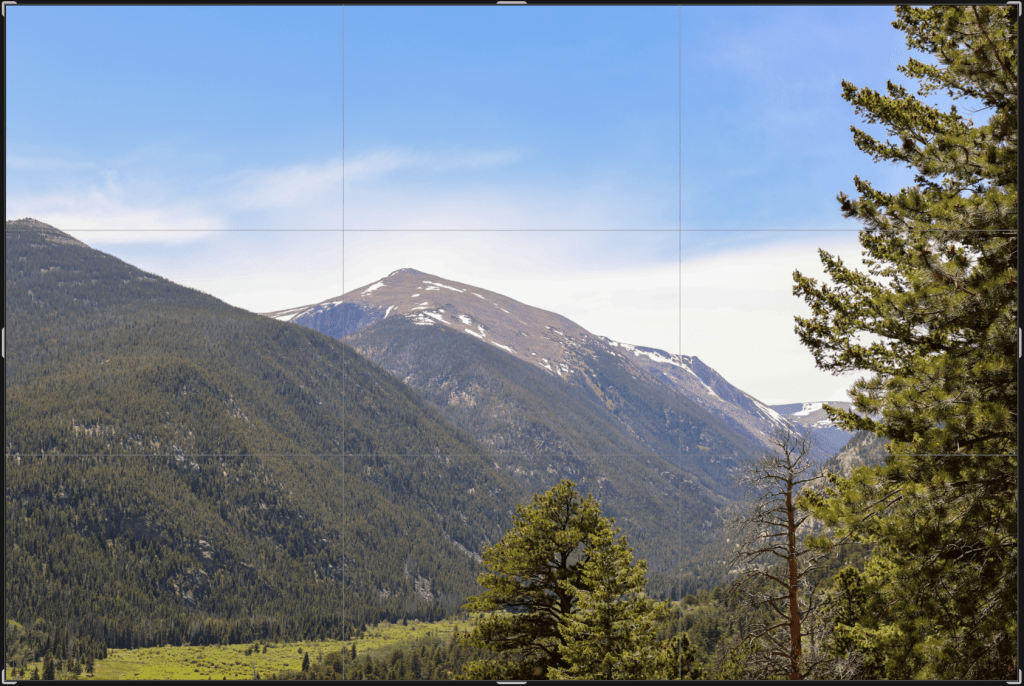
2. 4:3 – The Standard Camera and Phone Ratio
Best for: Smartphone photography, micro four-thirds cameras, and web use
4:3 is the default aspect ratio for many point-and-shoot cameras, micro four-thirds cameras, and smartphones. It’s slightly more square than 3:2, making it ideal for screens and digital use.
- Used in most smartphone cameras
- Common for social media and online viewing
- Slightly more compact than 3:2, making it useful for tight compositions
While it’s not as popular for printing, it’s great for digital content and maintaining detail in web images.
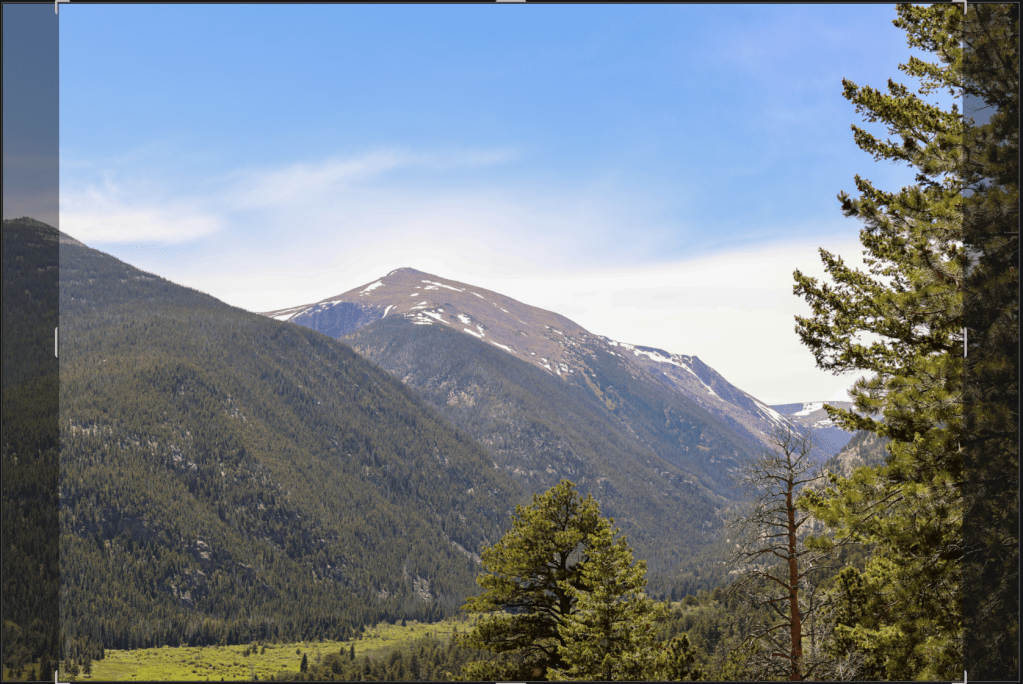
3. 16:9 – The Widescreen Format
Best for: Video thumbnails, cinematic photography, and digital screens
16:9 is the standard for HD video and is commonly used for widescreen displays. If you’re editing images for YouTube thumbnails, website banners, or cinematic photography, this is the go-to ratio.
- Great for landscapes with a dramatic, wide feel
- Perfect for digital screens and YouTube
- Creates a more modern, cinematic look
If you want an image to feel more expansive and immersive, 16:9 is an excellent crop to use.
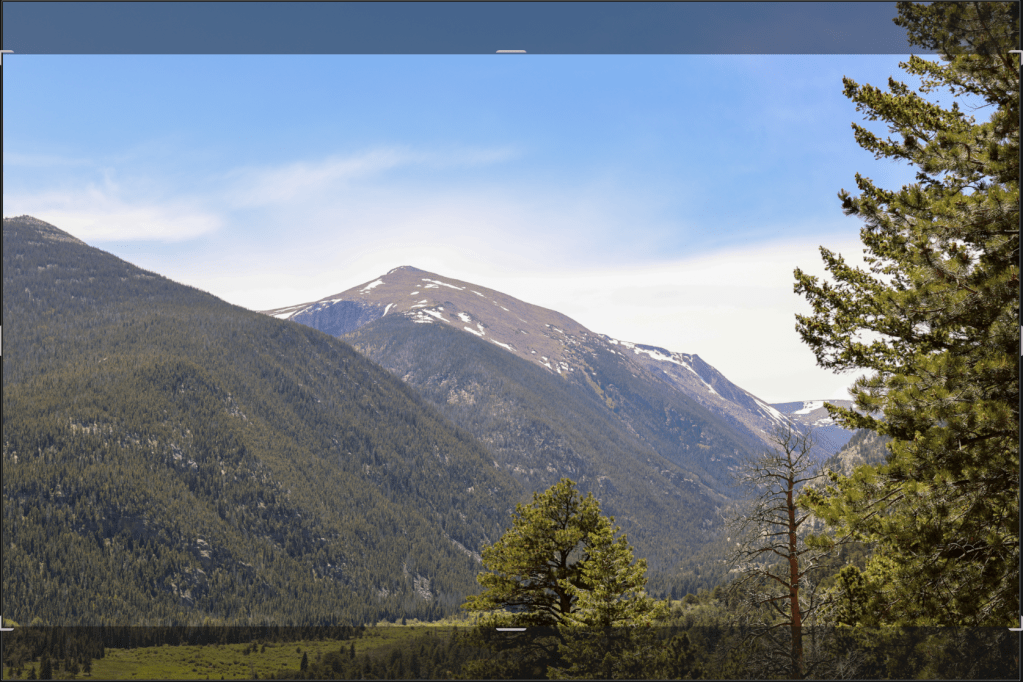
4. 1:1 – The Square Crop
Best for: Instagram, balanced compositions, and portraits
A 1:1 aspect ratio means the image is a perfect square. This was once the default for Instagram, and it remains popular for social media because it looks clean and balanced.
- Works well for symmetrical or centered subjects
- Great for Instagram posts and social media
- Can feel modern, minimalistic, or artistic
A square crop forces you to focus on composition, as it removes excess space around your subject. It’s a bold choice but highly effective.

5. 5:4 – The Print-Friendly Crop
Best for: 8×10 prints, framed photos, and portraits
The 5:4 ratio is commonly used for 8×10 prints. If you’re planning to frame your photos, you may need to crop to this ratio to fit standard frame sizes.
- Ideal for printing professional portraits
- Matches the aspect ratio of many frame sizes
- Provides a slightly boxier look than 3:2 or 4:3
Because many portrait photographers sell 8×10 prints, this ratio is frequently used in professional portrait work.
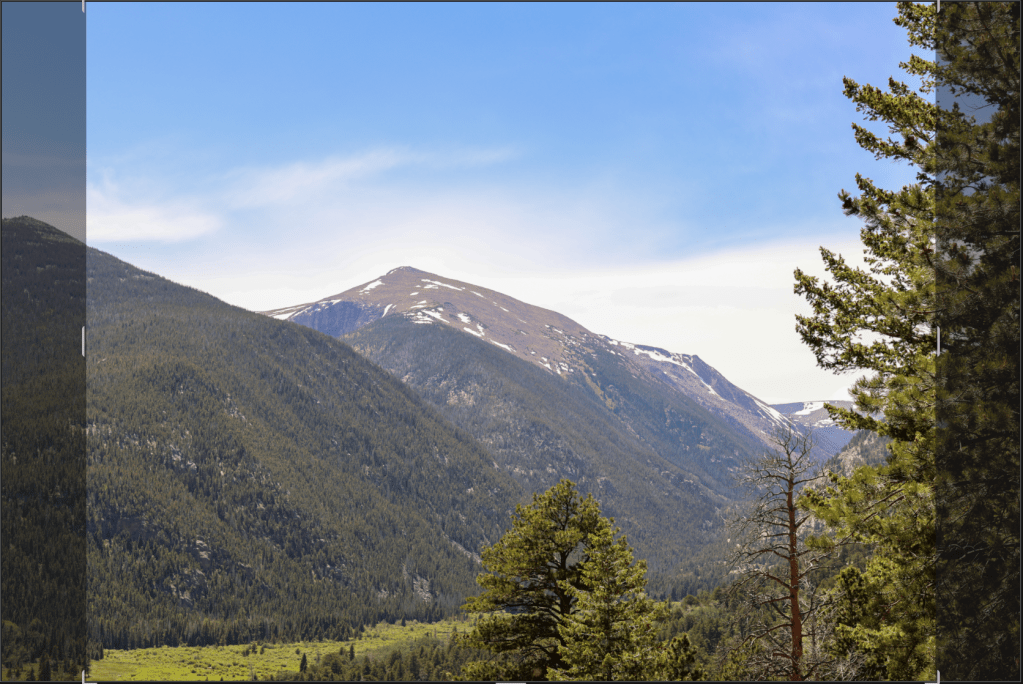
4:3 vs. 5:4 – What’s the Difference?
At first glance, 4:3 and 5:4 might seem similar, but they have key differences:
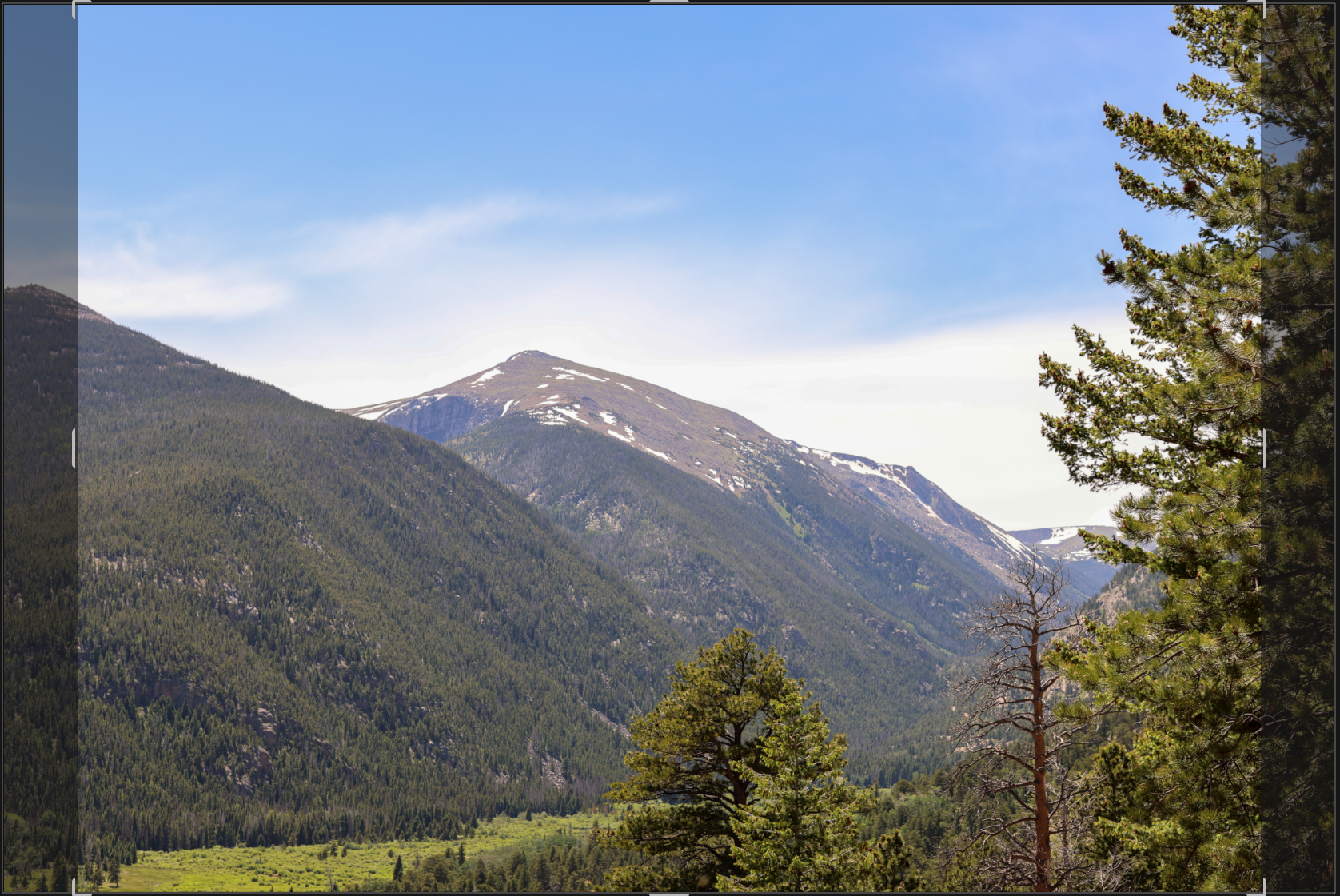
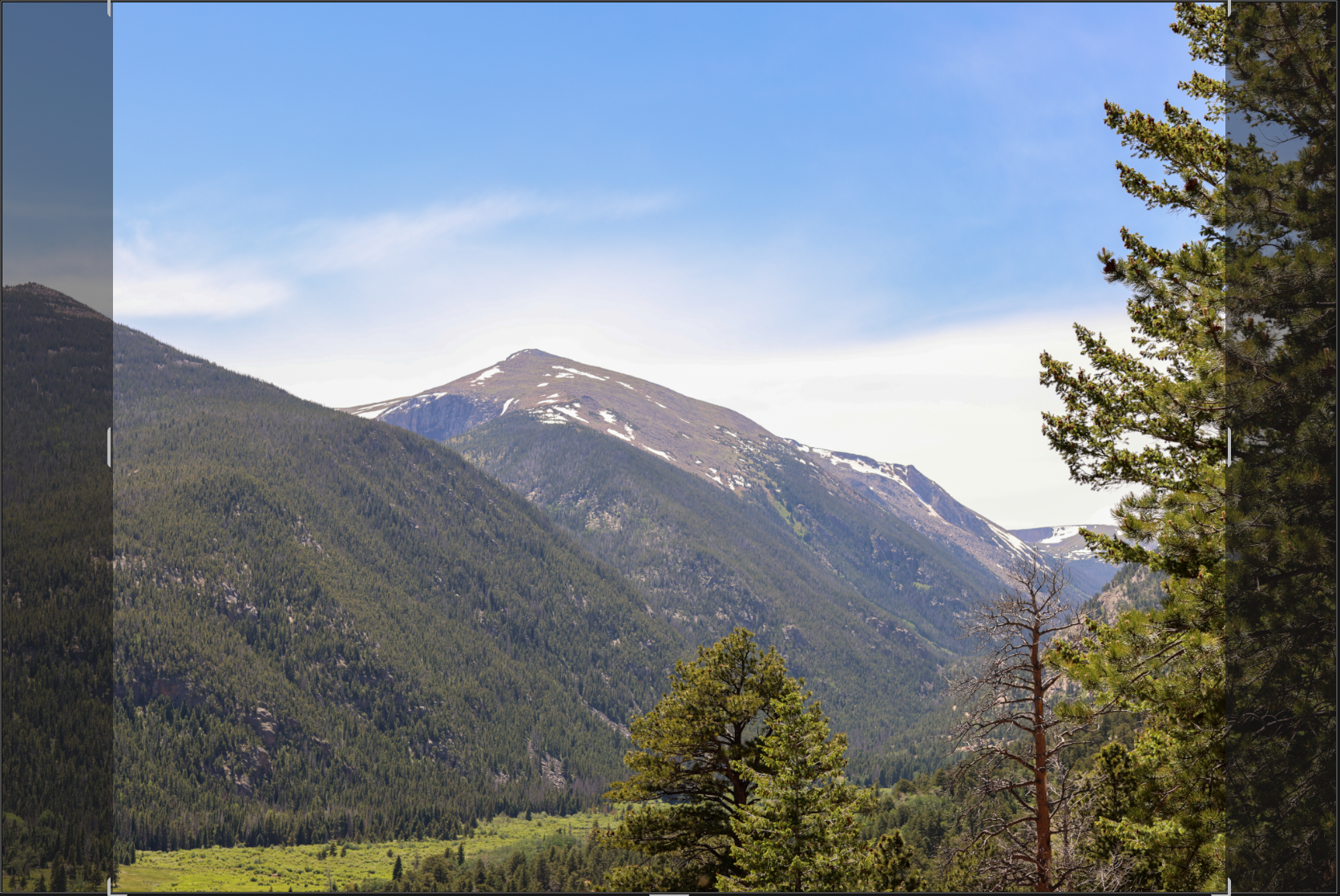
- 4:3 is a bit wider and is the standard for many digital cameras and smartphones, making it better suited for screens and web use.
- 5:4 is slightly more narrow and closer to a square, commonly used for 8×10 prints. It provides a more traditional, framed-photo look.
While both are compact, 4:3 is more digital-friendly, whereas 5:4 is more print-friendly
How to Choose the Right Aspect Ratio
When deciding on an aspect ratio, ask yourself:
+ Where will the photo be used? Social media, print, and digital screens all have different ideal ratios.
+ What composition looks best? Some subjects look better in a wide crop, while others suit a square frame.
+ How much detail do you need? Cropping removes pixels, so choosing a ratio that keeps the important elements is key.
Tip: If you’re unsure, keep your original photo in its native aspect ratio (often 3:2 or 4:3) and crop copies of the image as needed.
A Quick Tip on Cropping
It’s always better to get your composition right in-camera rather than relying on cropping later. When you crop, you lose resolution and image quality, so if you want a tighter shot, try moving closer to your subject instead of planning to crop in post.
That said, I crop all the time! Sometimes it’s unavoidable—maybe you couldn’t get physically closer, or you just need a slight adjustment to perfect the framing. Cropping is a great tool, but it’s best used for fine-tuning, not fixing. The more you can compose your shot correctly in the moment, the better your final image will be!
Final Thoughts
Understanding aspect ratios helps you crop your photos with purpose, whether you’re preparing them for print, social media, or digital screens. While 3:2 and 4:3 are common in-camera formats, experimenting with different ratios can enhance your storytelling and composition.
By choosing the right crop, you can create more compelling, visually appealing images. So next time you’re editing, take a moment to think about which ratio best suits your shot!
Have a favorite crop ratio you always use? Let me know in the comments!
Article written and photos shot by Kenedy Rae with KRxMedia
Anyways, thanks for reading! I hope I taught you something new today. If you like articles like these, don’t forget to subscribe below to stay in the loop!
Subscribe to
stay in the loop!
Related Reads:
- Understanding Camera Lenses: A Beginner’s Guide to Focal Length, Prime vs. Zoom, and Finding the Right Lens
Get to know the basics of camera lenses, including focal lengths, prime vs. zoom lenses, and how to choose the right lens for your style and needs. This guide will help you understand the essentials to take your photography to the next level. - Golden Hour Photography: The Best Settings & Tricks for Perfect Shots
Discover how to capture breathtaking golden hour photos with the perfect settings and tips for shooting in those magical moments just before sunset or after sunrise.





7 responses to “Crop Ratios Explained: How to Choose the Right Aspect Ratio for Your Photos”
Ooooo okok. I didn’t know that different ratios were suited or preferred for prints. I don’t crop often myself, like once in a while, but I usually use the standard 4:3 aspect cause it looks cleaner and more tight. I used to always use 16:9 cause I just didn’t really think much about it. Though, since I had posted my photos on Instagram, I would have to crop a bit. After switching the ratios, 4:3 just felt better overall and the image felt a little sharper and more focused which was nice. At some point, I’d really like to print my photos, and I hope they still print out well regardless of the ratio lol. Loved seeing the slider comparing the aspect ratios as well and describing the differences. Gooooooood stuff.
LikeLike
[…] Crop Ratios Explained: How to Choose the Right Aspect Ratio for Your Photos […]
LikeLike
[…] Crop Ratios Explained: How to Choose the Right Aspect Ratio for Your Photos […]
LikeLike
[…] Crop Ratios Explained: How to Choose the Right Aspect Ratio for Your Photos […]
LikeLike
[…] Crop Ratios Explained: How to Choose the Right Aspect Ratio for Your Photos […]
LikeLike
[…] sensors tend to outperform crop sensors, even with the same megapixel count; understanding crop ratios can also help you choose the right sensor and composition.Full-frame cameras like the Canon R5 or […]
LikeLike
[…] Crop Ratios Explained: How to Choose the Right Aspect Ratio for Your PhotosLearn what crop ratios (aspect ratios) are and how they affect composition, printing, and sharing your photos online. This guide explains common ratios like 3:2, 4:3, 1:1, and 16:9 so you can choose the right crop for every image. […]
LikeLike